
If you’ve ever poured hours into crafting a clean React admin dashboard, a Laravel e-commerce starter, or a sleek Bootstrap landing page template, you’ve probably wondered: why not get paid for this? Selling code templates isn’t just a side hustle anymore—it’s a viable way for developers to turn reusable work into ongoing revenue. I’ve experimented with both platforms myself, and while neither is a guaranteed goldmine, the right approach can yield steady sales with minimal ongoing effort.
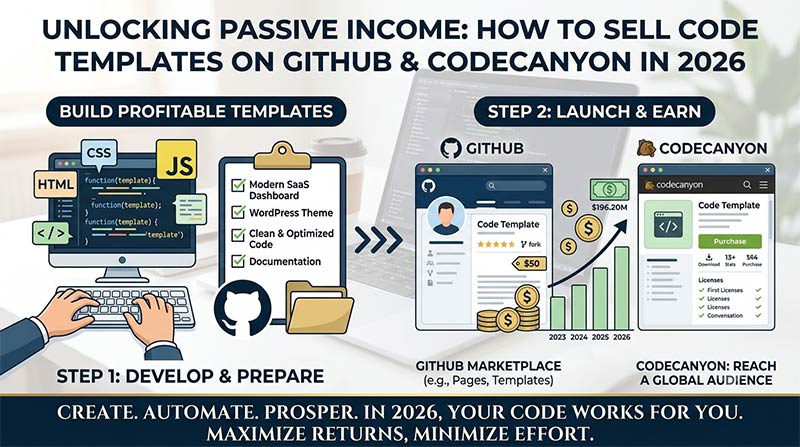
Why Sell Code Templates?
The demand for ready-made solutions is huge. Startups want to launch faster, freelancers need quick starts for client projects, and agencies look to cut development time. Templates solve real pain points: boilerplate setup, responsive designs, integrated features like authentication or payments.
From my perspective, the biggest win is leverage. Once you’ve built something solid for your own use, polishing it for sale takes relatively little extra time compared to the value buyers get. Plus, updates and support can build a loyal customer base that returns for more.
Key benefits:
- Passive income potential (especially with evergreen templates like WordPress plugins or mobile app starters).
- Portfolio building and community visibility.
- Low overhead—no inventory, just digital files.
GitHub vs. CodeCanyon: A Quick Comparison
Both platforms let you distribute code, but they cater to different audiences and models. Here’s a straightforward breakdown:
| Aspect | GitHub | CodeCanyon (Envato) |
|---|---|---|
| Primary Model | Open-source with Sponsors, private repo access, or Marketplace for Actions/Apps | Direct paid marketplace for scripts, templates, plugins |
| Audience | Developers, tech-savvy users | Broader: freelancers, small businesses, non-coders |
| Monetization | GitHub Sponsors, paid private access (via tools like Stripe webhooks or GitMarket), one-time sales | Per-sale commissions (Envato takes ~37.5-75% depending on volume) |
| Approval Process | Easy for public repos; stricter for Marketplace | Manual review—can be tough for newcomers |
| Traffic | Organic via stars/forks + SEO | High platform traffic, but competitive |
| Best For | Tools, actions, advanced libraries | Complete templates, themes, full scripts |
| Control | High (you manage everything) | Medium (platform handles sales/support rules) |
GitHub shines for building a developer brand, while CodeCanyon offers more “set it and forget it” sales potential if your item gets approved and ranks well.
Getting Started on GitHub
GitHub isn’t a traditional storefront for full templates, but creative developers make it work:
- Build in public: Create high-quality, well-documented public repositories. Use GitHub Pages for live demos.
- Monetize access: Keep premium templates in private repos. Sell invites via GitHub Sponsors, Stripe, or tools like GitMarket for automated private repo access.
- GitHub Marketplace: Publish GitHub Actions or Apps. Great for workflow templates or integrations. Follow their publishing guidelines.
- Marketing: Share on Reddit (r/SideProject, r/webdev), Twitter/X, LinkedIn, and dev.to. Offer free tiers or limited versions to hook users.
I’ve found that combining a strong README with video demos and clear licensing (MIT for free, custom for paid) works wonders. One tip: Use GitHub’s Topics and a compelling repo name to boost discoverability.
Mastering CodeCanyon for Bigger Reach
CodeCanyon remains a go-to for many because of its built-in audience.
Steps to success:
- Prepare your item: Clean code, thorough documentation (installation guide, FAQ, changelog), previews/screenshots, and a demo. Follow Envato’s technical requirements.
- Submission: Create an Envato account, upload via their system. Expect review (days to weeks). Common rejections involve poor docs, bugs, or design issues—fix and resubmit patiently.
- Optimization: Write keyword-rich titles/descriptions (e.g., “React Native Food Delivery App Template with Admin Panel”). Include support terms.
- Pricing and updates: Start around $19–$59. Regular updates keep items ranking and buyers happy.
CodeCanyon’s review can feel brutal, especially for new authors, but once you’re in with a few solid items, cross-promotion and buyer trust compound. Focus on niches like Flutter apps, Laravel SaaS starters, or Tailwind templates that solve specific 2026 problems (AI integrations, mobile-first, etc.).
Pro Tips for Standing Out
- Quality over quantity: Buyers hate buggy code. Test thoroughly and include error handling.
- Documentation is king: A great help file turns one-time buyers into fans.
- SEO and marketing: Optimize for searches like “best React admin template 2026.” Promote on socials, YouTube tutorials, and your own site.
- Licensing and support: Be clear on usage rights. Offer reasonable support (e.g., 6 months) to build reviews.
- Diversify: Don’t rely on one platform. Use GitHub for visibility, CodeCanyon for volume, and your own Gumroad/Payhip store for higher margins.
- Analytics: Track what sells. Popular categories include e-commerce, dashboards, and mobile templates.
Expect initial slow sales. Many successful sellers I’ve observed built momentum with 5–10 items and consistent updates.
Selling code templates on GitHub and CodeCanyon has been one of the more rewarding ways I’ve seen developers blend passion with profit. It won’t make you rich overnight, but with genuine value and persistence, it can become a reliable income stream. Start small: polish one template you’ve already built, get it live, and iterate based on feedback.
The tech landscape moves fast—focus on timeless foundations with modern twists, and you’ll stay relevant. Whether you’re a solo dev or part of a team, there’s room for creative, well-crafted solutions. Dive in, ship something, and see where it takes you.

Disclaimer: This is for educational purposes only and not personalized financial advice. Past performance doesn’t guarantee future results. Always do your own research or seek professional guidance.